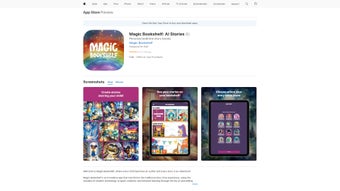

Download Magic Bookshelf – AI Storytelling for Kids, Creative Learning, Interactive Reading
Overview
Magic Bookshelf is an engaging AI‑powered web application that redefines the way children experience stories. Designed with young readers in mind, the platform lets kids become the architects of their own narratives by picking characters, settings, plot twists, and even the tone of the tale. The core of Magic Bookshelf revolves around a “Choose Your Own Adventure” framework, which transforms passive reading into an interactive, decision‑driven journey.
Each choice reshapes the story, fostering creativity, critical thinking, and confidence in decision‑making. In addition to story creation, the app delivers high‑quality AI‑generated voice narration that adapts to a range of reading levels, ensuring that every child—whether a beginner or an advanced reader—can follow along with ease. Vibrant, AI‑crafted illustrations accompany each scene, adding visual depth and keeping imaginations sparked.
A regularly refreshed library of curated stories offers fresh material for returning users, while a secure social‑sharing feature lets children showcase their creations with friends and family in a safe, moderated environment. Magic Bookshelf balances fun and education, making it an ideal tool for parents, teachers, and after‑school programs seeking a modern, technology‑enhanced reading experience.
Core Features That Set Magic Bookshelf Apart
- Interactive Story Builder: Drag‑and‑drop characters, select settings, and decide plot outcomes in real time.
- Choose‑Your‑Own‑Adventure Engine: Every decision branches the narrative, offering multiple endings and replay value.
- AI‑Generated Voice Narration: Natural‑sounding narration adjusts to reading level, with options for speed and voice gender.
- Dynamic Illustrations: Each scene is paired with AI‑crafted artwork that matches the tone and style of the story.
- Curated Library: Hundreds of ready‑made stories are updated weekly, covering themes from fantasy to science.
- Safe Social Sharing: Export stories as PDFs or share via a protected link; parental controls ensure a secure environment.
- Learning Mode: Highlights vocabulary, offers comprehension quizzes, and tracks reading progress.
- Multi‑Platform Access: Works on any modern browser, with responsive design for tablets, smartphones, and desktops.
- Offline Playback: Download narrated stories for offline listening, perfect for road trips or bedtime.
- Regular Updates: New characters, settings, and illustration styles are added monthly based on user feedback.
Installation, Usage & Compatibility
Magic Bookshelf is a web‑based application, which means there is no traditional “installation” process—simply visit the official website and create a free account. For users who prefer a desktop shortcut, the platform offers a one‑click “Add to Home Screen” option on Chrome, Edge, and Safari, turning the web app into a native‑like experience.
Getting Started in Three Simple Steps
- Create Your Account: Click the “Sign Up” button, enter an email address, set a password, and verify your account via the confirmation email.
- Choose a Mode: Select “Create a New Story” to start from scratch or “Explore Library” to browse curated tales.
- Start Building: Use the intuitive toolbar to add characters, set locations, and define plot points. Click “Preview” to hear AI narration and see illustrations in real time.
The user interface is deliberately simple: a left‑hand panel houses story elements, the central canvas displays the unfolding narrative, and a right‑hand panel shows narration controls and illustration options. Parents can switch to “Parent Dashboard” to monitor reading time, track skill development, and enable or disable the sharing feature.
Compatibility: Because Magic Bookshelf runs entirely in the browser, it is compatible with Windows 10/11, macOS 10.15+, Chrome OS, Android 8.0+, and iOS 13+. The platform follows modern web standards (HTML5, CSS3, WebAssembly) and works seamlessly on popular browsers such as Google Chrome, Mozilla Firefox, Microsoft Edge, and Apple Safari. Tablet users benefit from a touch‑optimized layout, while desktop users enjoy a richer drag‑and‑drop experience with mouse and keyboard shortcuts.
For schools or after‑school programs that require multiple accounts, Magic Bookshelf offers a “Classroom” license that lets administrators create bulk user accounts and assign stories to specific grade levels. All data is stored securely in encrypted cloud storage, and the service complies with COPPA and GDPR‑Kids guidelines, ensuring that children’s personal information remains protected.
Pros, Cons & Frequently Asked Questions
Pros
- Highly interactive storytelling encourages creativity and decision‑making.
- AI narration adapts to multiple reading levels, supporting diverse learners.
- No download required; works on any modern device.
- Regular content updates keep the library fresh and relevant.
- Parental controls and secure sharing protect children’s privacy.
- Free tier available with optional premium subscription for advanced features.
Cons
- Requires a stable internet connection for full functionality.
- AI‑generated illustrations may sometimes feel generic.
- Advanced customization (e.g., custom voice actors) is locked behind the premium plan.
- Limited offline capabilities compared to native e‑reader apps.
FAQ – Your Questions Answered
Is Magic Bookshelf safe for children under 8?
Yes. The platform complies with COPPA and includes parental controls that allow adults to approve content, limit sharing, and monitor reading activity.
Can I use Magic Bookshelf without an internet connection?
While the core story‑building tools require an internet connection, narrated stories can be downloaded for offline playback, making it convenient for travel or low‑bandwidth environments.
What languages does the AI narration support?
Currently, English, Spanish, French, and German are supported, with additional languages planned for future releases.
Is there a free version, or do I need to subscribe?
Magic Bookshelf offers a robust free tier that includes unlimited story creation, basic AI narration, and access to a rotating selection of curated stories. A premium subscription unlocks premium voices, advanced illustration packs, and classroom management tools.
Can I share my child’s story with family members?
Yes. Stories can be exported as PDF or shared via a secure, password‑protected link. Parents can control who receives the link and set expiration dates for added safety.
Conclusion & Call to Action
Magic Bookshelf merges the timeless joy of storytelling with cutting‑edge AI technology, delivering an experience that is both educational and endlessly entertaining. By empowering children to shape their own narratives, the platform nurtures imagination, literacy, and confidence—all while offering parents and educators a secure, analytics‑rich environment to track progress. Whether you’re looking for a free tool to spark bedtime creativity or a premium classroom solution that integrates reading assessments, Magic Bookshelf scales to meet those needs. Don’t let your child miss out on the next evolution of interactive reading—visit the official site, create a free account, and start building magical adventures today.
Ready to download? Click the Download Magic Bookshelf button now and give your child the gift of limitless stories.
Overall Rating: 4.5 / 5
Pros: Engaging interactivity, adaptive narration, safe sharing.
Cons: Requires internet, premium voice packs locked.






